
Online meeting translation with AI Assistant IVA 360
In order to ensure maximum accessibility and comfort for participants of online events, as well as to overcome language barriers, an intelligent module "AI Assistant" has been integrated into the platform. This technology provides participants with the ability to use dynamically updated subtitles and real-time speech translation. In this article, you will learn about this functionality.
Event participants have the ability to turn on subtitles and use the online translator at any time during the entire event session, provided that the AI Assistant module has been purchased on the tariffs.
To enable this feature in the event, you need to:
Control panel → Click the Three vertical dots button → Select Enable subtitles. After that, a block with subtitles will be displayed over the broadcast area in the working area of the event, which is dynamically updated.
IMPORTANT
The "Enable subtitles" control in the additional actions of the control panel will not be displayed if the participant of the event has restricted rights to receive audio-video broadcasts, as well as if "Synchronous translation" is enabled in the event.
Subtitles are displayed only for the participant who has enabled this feature.
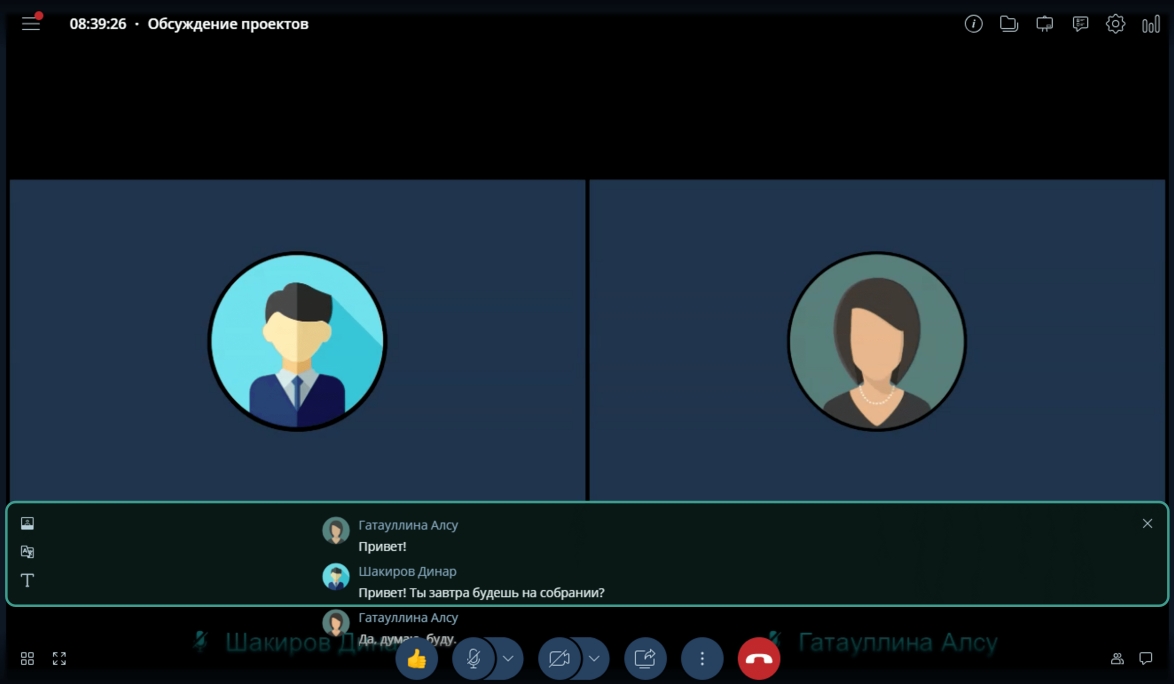
Subtitle control elements (left panel):
- Change mode - switch to the mode of displaying the block with subtitles with a shift of the broadcast area;
- Change mode (again) - switch to the mode of displaying the block with subtitles over the broadcast area;
- Change language - change the language of subtitle translation (Online translator);
- Font size - change the font size of subtitles;
- Close - turn off subtitles and close the block with subtitles.
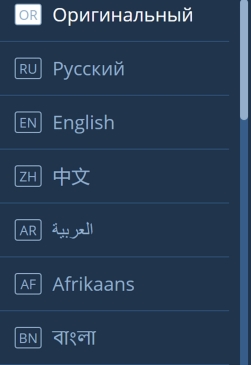

Currently, the AI Assistant function supports the following languages:
- Russian
- English
- Chinese
- Arabic
- Afrikaans
- Bengali
- German
- Spanish
- Persian
- French
- Gujarati
- Hindi
- Indonesian
- Malayalam
- Marathi
- Nepali
- Portuguese
- Tamil
- Telugu
- Thai
- Urdu
- Vietnamese
You can turn off subtitles in the event in two ways:
- Control panel → Click the "Three vertical dots" button → Select "Turn off subtitles".
- Subtitle block → Click the "X" button.