
How to work with chats in rooms
Chats in rooms allow participants to exchange messages both in general dialogue and in private conversations. This makes interaction convenient and efficient. Let's see how it works.
STEP 1: After entering the room, to open the chat, click the chat button located in the bottom right corner of the screen.
STEP 2: To send a message, enter text in the opened window and click the "Send" button. 
STEP 3: If you need to delete your message, click on the three dots next to your message and choose the action "Delete message" if you want to delete one, or "Delete all" if you want to delete all your messages. 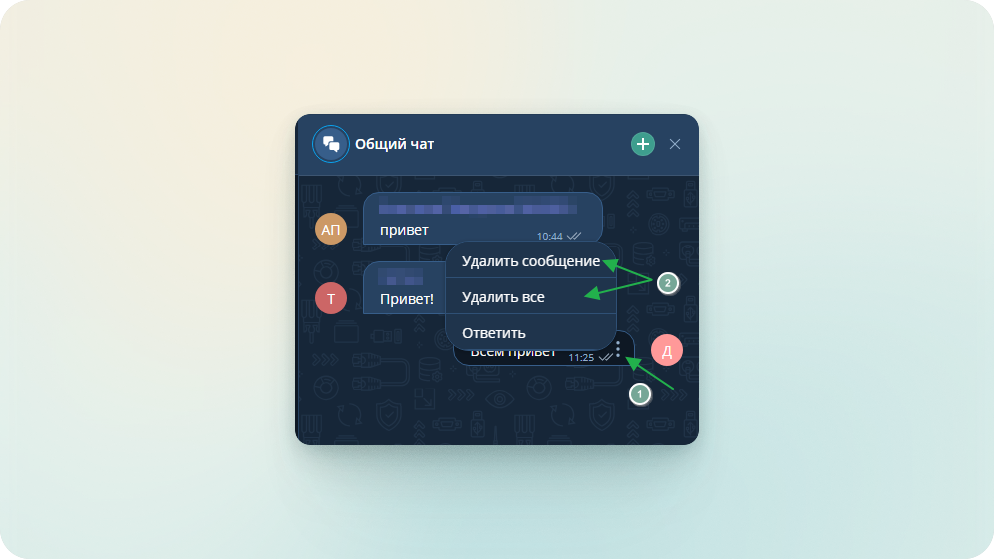
STEP 4: In the room, there is also the possibility to communicate not in the general chat, but in private messages. This can be done in two ways:
From the general chat: find the participant you need, click on the three dots next to their name and choose "Reply personally".
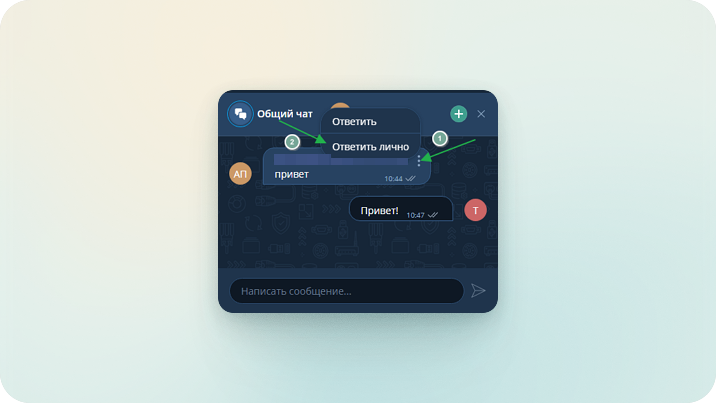
From the list of room participants: open the list of participants (button with two people next to the chat), select the participant, click on the three dots next to their name and choose "Write a personal message".
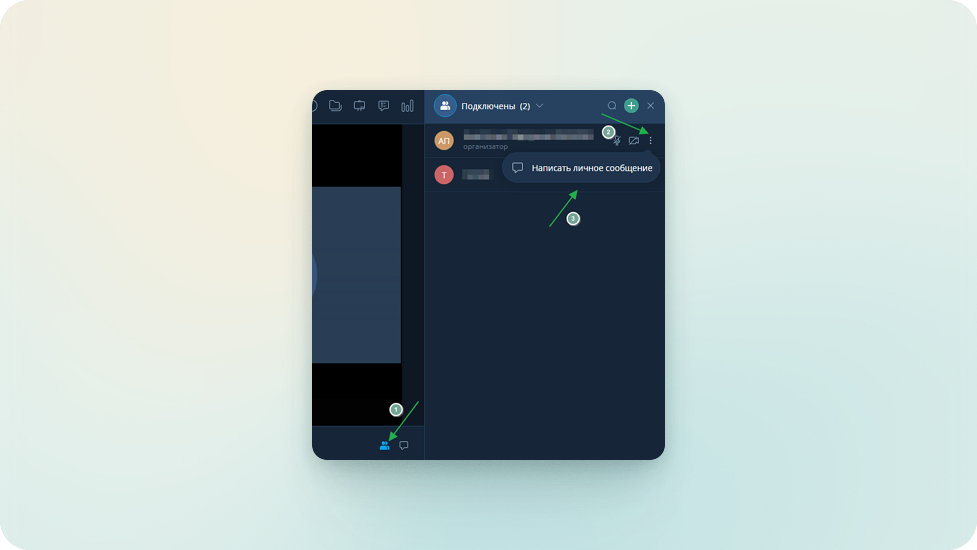
STEP 5: You can switch between private correspondence and the general chat in the room in the dialogue window by clicking on the desired dialogue icon.
Important
The room chat exists until the room is deleted or the chat is cleared.