
Synchronous Translation
To ensure effective international interaction and overcome language barriers during online events, the platform provides the "Synchronous Translation" feature. This functionality allows for professional real-time speech translation, ensuring comfortable participation of the audience in different languages. In this article, you will learn about this feature.
Event Interface with Translator
The role of the translator can be assigned when creating a planned event with synchronous translation, as well as during an active event.
The role of the translator can only be assigned if the "Synchronous Translation" setting was enabled during event planning.
If the role of the translator was not assigned during event planning or needs to be changed during the event, you need to: Event workspace → Click on "Participants" → Select a participant → Open the participant's profile → Role → Select "Translator" → Configure translation languages
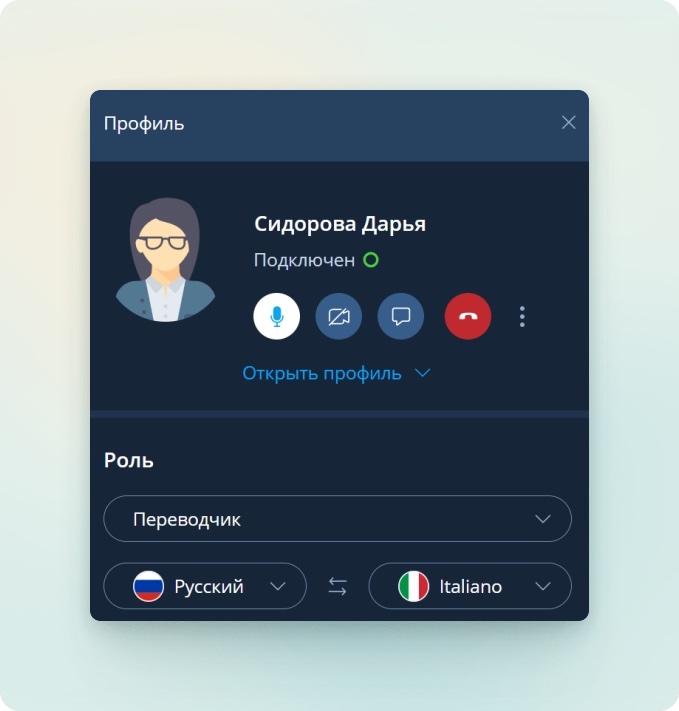
After assigning the role of the translator, regular event participants can choose their preferred translation language.
The event organizer and moderator can set the translation language for each participant in the participant's profile.
To select a translation language, you need to:
Control panel → Click on the globe icon → Select the translation language
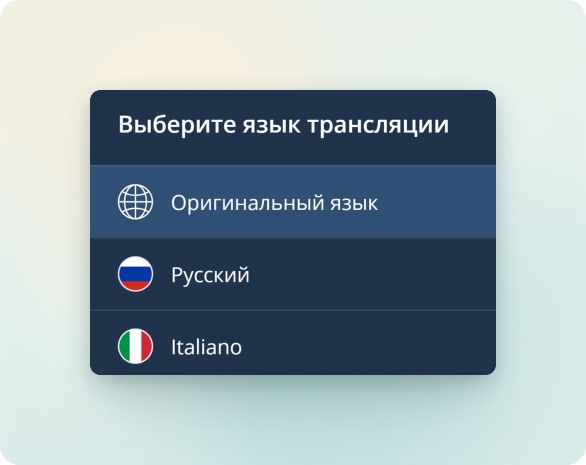
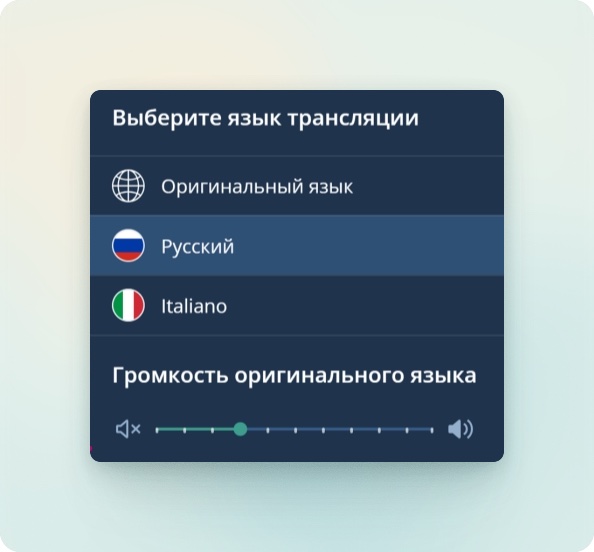
After selecting a translation language different from the original, a slider for adjusting the volume level of the original language will appear in the translation language selection window.
Translation language selection is supported for mobile browser versions.
Information about the selected translation languages by participants and the language pair of the Translator is displayed in the "Participants" section.
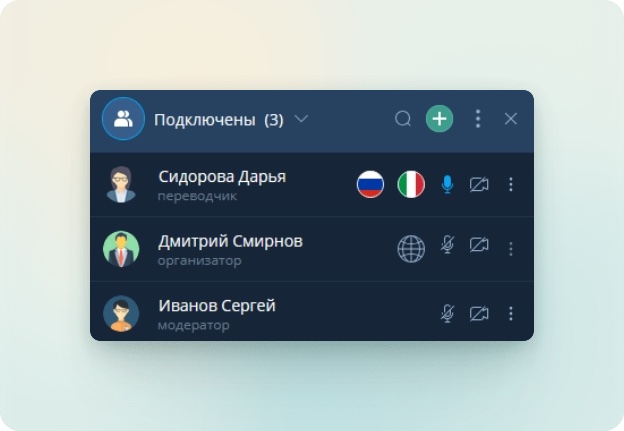
Information about the selected translation languages by participants and the language pair of the Translator is supported for mobile browser versions.
Translator Event Interface
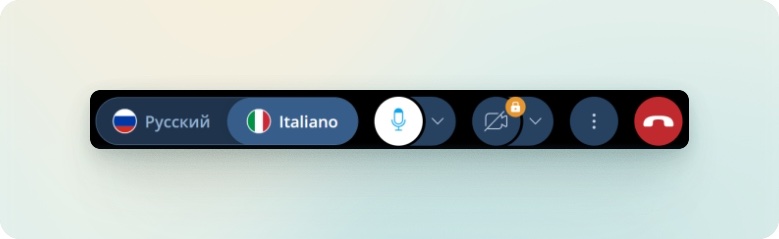
According to the assigned translation languages, the Translator has the option to broadcast from multiple audio tracks.
To switch between audio tracks, you need to: Control panel → Select an audio track
The video stream of the Translator is not displayed in the event translation area.